

Approvals via LINE
One of SiteOps’ standout features is that approvers never need to open the web app — the system sends approval cards directly into LINE, and they can be actioned from a mobile phone anywhere, at any time.
The LINE Approval Card
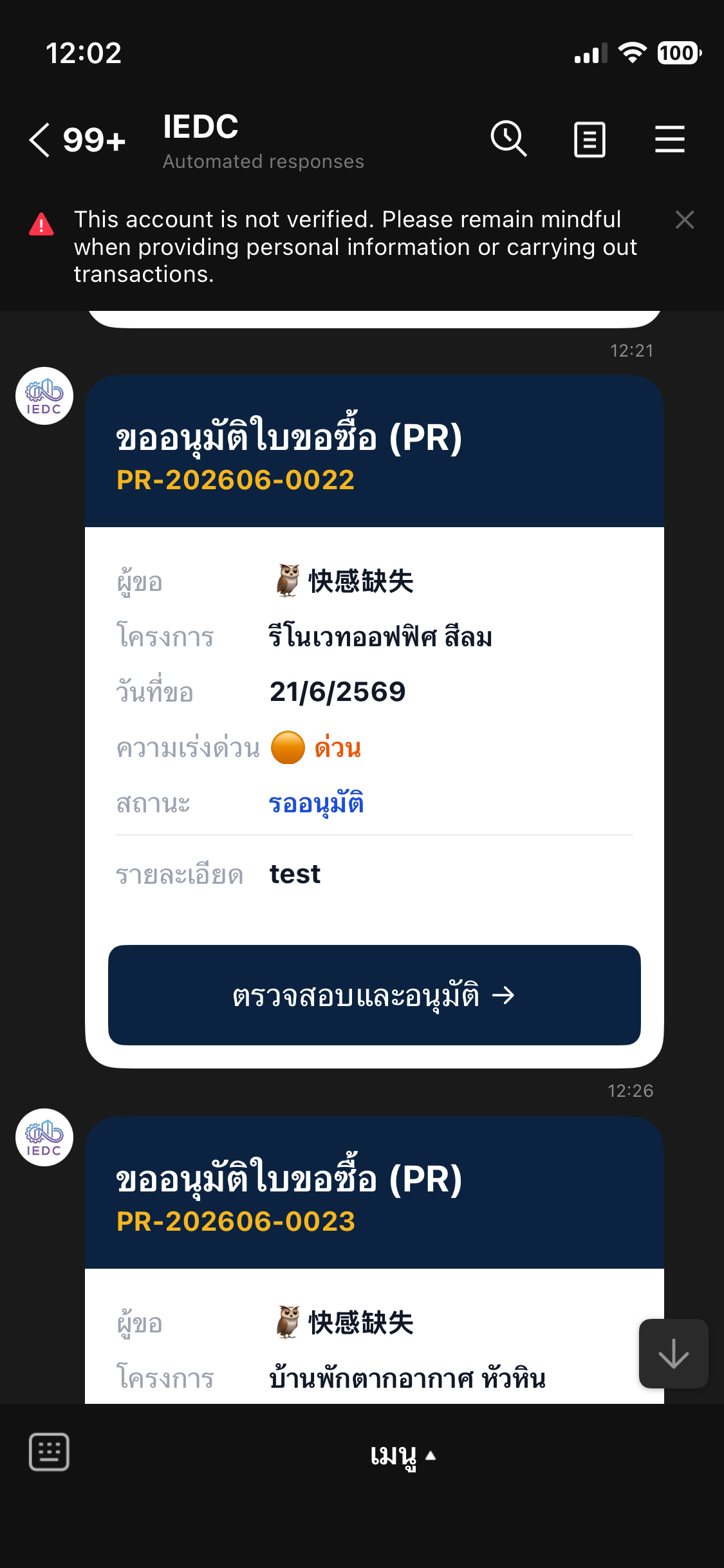
Section titled “The LINE Approval Card”When someone submits a PR or PO for approval, the system immediately sends a Flex Message card to the approver’s LINE account.
The card displays:
- Requester name and project
- Line items and quantities
- Total amount
- Request date and current status
- A “Review and Approve” button
Approval Steps
Section titled “Approval Steps”- Receive the card in LINE → tap “Review and Approve”
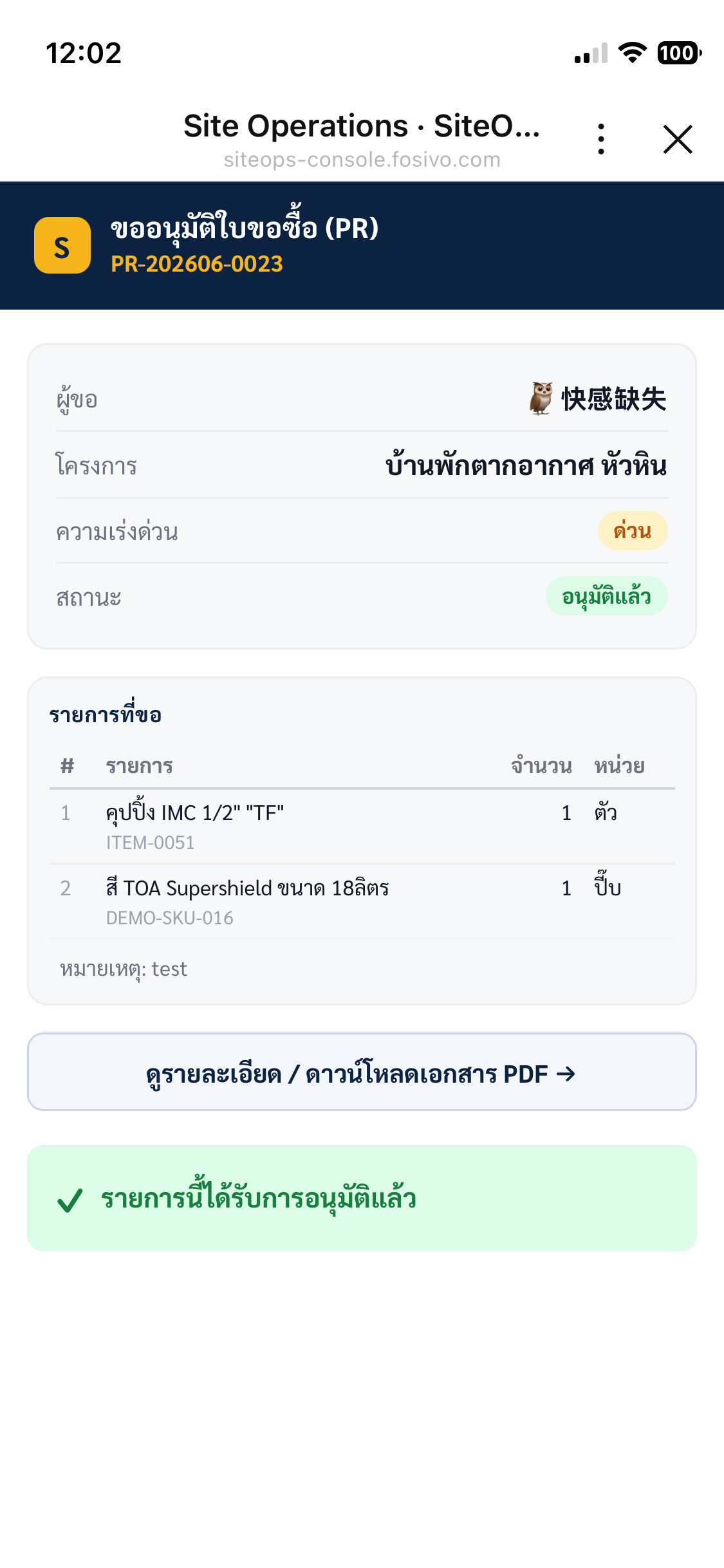
- The approval page (LIFF) opens inside LINE — no need to leave the app
- Review all line items carefully
- Tap “Download PDF” if you need the supporting document (PR or PO)
- Choose your action:
- Tap “Approve” — the system records the decision and notifies the requester immediately
- Tap “Reject” — enter a reason → tap Confirm
Multi-Level Approval
Section titled “Multi-Level Approval”POs over 50,000 THB require approval at two levels.
Purchasing → Approves ✓ → System sends card to Owner → Owner Approves ✓ → PO Opens- Each approver receives their LINE card in sequence
- When the owner approves, the system consolidates all approval levels in a single action — no need to tap multiple times
Tracking Approval Status on the Web
Section titled “Tracking Approval Status on the Web”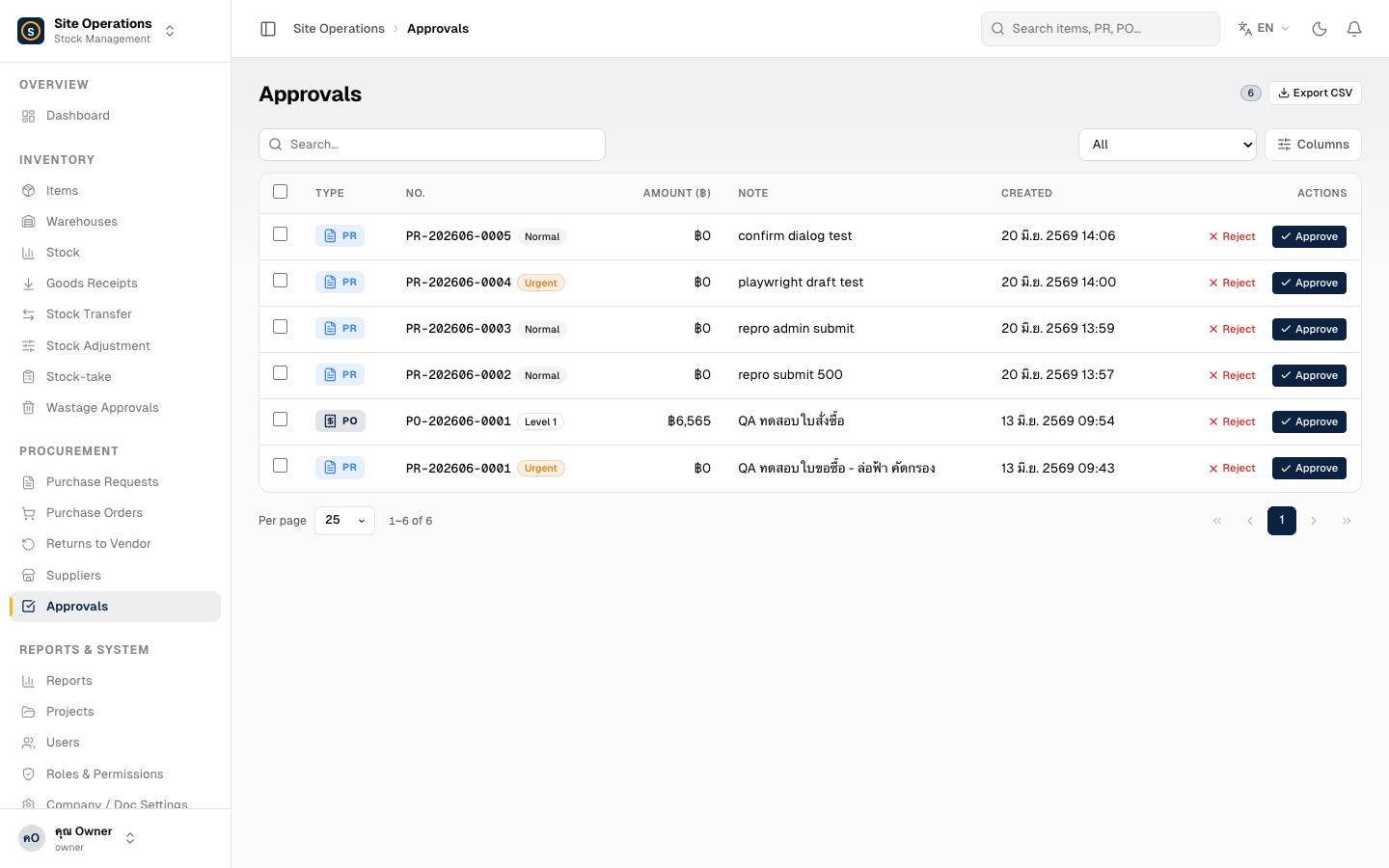
Go to the Approvals menu to view all PR/PO items that are pending or have already been processed. You can also approve directly from the web if preferred.